
Kwikset Lock Service
Kwikset 916 in Springdale, AR
Call us now at (904) 915-9322 about your Kwikset 916 installation, repair, or lockout. We come to you in Springdale, check the lock and door together, and identify what needs attention.
- Mobile locksmith service—we come to you
- Open 24 hours a day, 7 days a week
- Typical arrival time: 15–30 minutes
- At least a 6-month warranty on parts and labor
Get a fast quote
How Kwikset 916 Installation and Daily Use Work
The Kwikset 916 is an electronic deadbolt with a touchscreen for entering a user code. When it accepts a code, the lock operates the bolt; the door and strike plate still need to line up so the bolt can move freely. We check both the lock and the door when we come to you, because a binding door can make a working electronic lock seem faulty.
During a Kwikset 916 installation, the existing door preparation, bolt movement, and alignment all matter. After fitting the lock, the owner can add or change user codes by following the instructions for that model. A Kwikset 916 reset can remove saved codes or settings, so use the manufacturer’s instructions and make sure you know how to set the lock up again before resetting it. For other Kwikset options, see our Kwikset locksmith page.
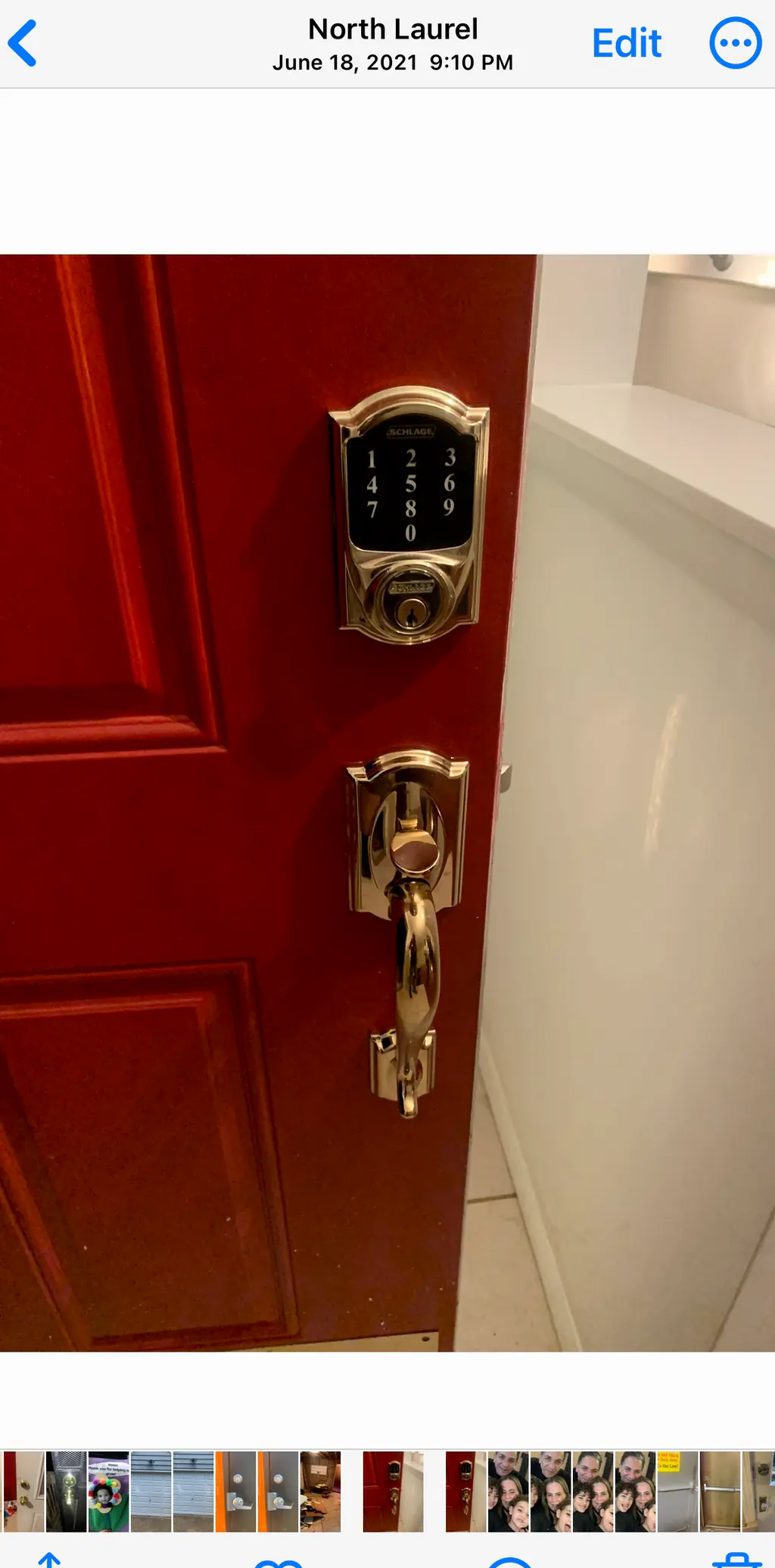
Three Checks for a Kwikset 916 That Won’t Respond
- Check the batteries — If the touchscreen is dim, unresponsive, or signals low power, check the battery compartment and replace the batteries as a set with the type specified in the product instructions. Avoid mixing old and new batteries.
- Try a code you know is current — Check that you are entering a user code that has not been changed or removed. If the code still does not operate the bolt, note what the touchscreen does; that detail can help us distinguish a code issue from a power or lock problem.
- Check the door’s movement — With the door open, check whether the bolt moves normally using the lock’s controls. If it works open but binds when the door is shut, the door or strike alignment may be the cause. Don’t force the bolt or keep entering codes against resistance.
Need help now? (904) 915-9322
Is the Kwikset 916 the Right Lock for Your Door?
A fit for code-based entry
The touchscreen suits owners who want to operate a deadbolt with user codes instead of relying on a key for every entry. You still need to keep track of active codes and follow the product instructions when changing them.
A fit when the door and deadbolt are compatible
Installation depends on the door’s existing preparation and whether the bolt can extend and retract without binding. We can inspect those points at your property before fitting or repairing the lock.
Habits That Help Keep Your Kwikset 916 Working
- Replace batteries as a set — Use the battery type listed in the product instructions, and replace all batteries together. Battery life depends on use and conditions, so respond to low-battery signals rather than relying on a fixed replacement date.
- Keep a record of current codes — Store codes securely and update your record when you add or remove a user. Avoid sharing a code more broadly than needed.
- Pay attention to resistance — If the bolt starts dragging or the door needs extra pressure to latch, arrange to check the door alignment. Forcing the lock can put added strain on its moving parts.
- Use the manual before a reset — A reset may clear user codes or other saved settings. Read the instructions for your exact lock before starting, and be ready to set up the lock again afterward.
- Ask about rekeying when access changes — If you want an existing key to operate the keyed cylinder, ask whether the lock can be rekeyed for your situation. Learn more about our rekeying service.
Need help now? (904) 915-9322
Frequently asked questions
Should my Kwikset 916 be repaired or replaced?
Repair may make sense when the issue is limited to batteries, code setup, or door alignment. If the touchscreen or bolt continues to malfunction after basic checks, we can inspect the lock and door and advise whether repair or replacement fits the condition.
Can you rekey my Kwikset 916 to work with another key?
The Kwikset 916 has a keyed cylinder that may be rekeyable, depending on the lock and the key you want to use. We can inspect the cylinder and confirm whether rekeying is suitable before doing the work.
What should I do if I’m locked out and my Kwikset 916 won’t accept the code?
Call us at (904) 915-9322; we come to you in Springdale to assess the lock and the door. If your lock has a matching physical key, have it ready, but don’t force the touchscreen, bolt, or door.
How long do Kwikset 916 batteries last?
Battery life varies with how often the lock is used and the conditions around the door, so there isn’t one replacement interval that fits every household. Watch for low-battery signals and follow the product instructions for battery type and replacement.
Can I use my Kwikset 916 if the batteries or power run out?
The lock’s electronic keypad needs battery power to operate. If your unit has its keyed cylinder and you have the matching key, use that key rather than forcing the lock; otherwise, call us to assess the lock and restore access.
Get Help With Your Kwikset 916
Call (904) 915-9322. We come to you in Springdale to inspect the lock, door alignment, and the issue you’re seeing.